PSPPES 20142014
PLAY ▶
PES 2014
PSP2014
ARCHIVE ENTRY · 2010
PES 2011 for PSP running in your browser through the OptiJuegos web port, with online lobbies, keyboard and gamepad controls, and save import.
The Play button opens the game on pes11.optijuegos.net in a new tab. BrowserKicks links to it and does not host the game files.
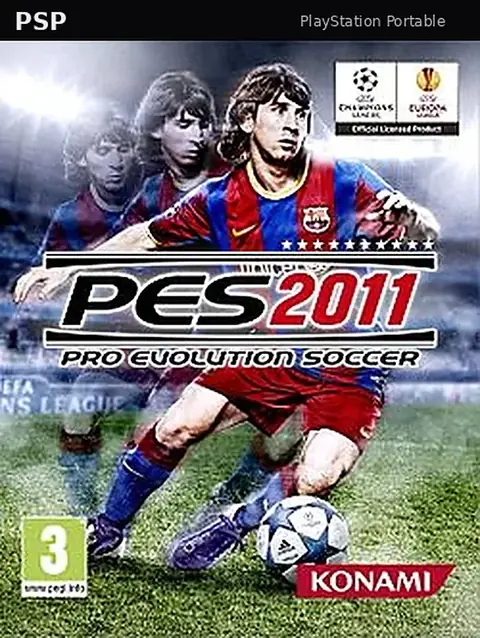
Pro Evolution Soccer 2011 came out in autumn 2010 with Lionel Messi on the cover. On PlayStation 3 and Xbox 360 it was the year Konami rebuilt passing around a power gauge, so that every pass could be weighted and aimed by hand. It also added the Copa Libertadores to the series, alongside the UEFA Champions League and Europa League licences shown on the box.
The game linked here is the PSP version, running as a WebAssembly port on pes11.optijuegos.net – the same team behind the browser port of PES 6 for PSP. The PSP edition is built on the older handheld engine rather than the new PS3 one, so think of it as a classic PES with a 2010–11 squad list, not as a portable copy of the console game.
If you mainly want PES 6, use the PES 6 page. Pick PES 2011 if you want the 2010–11 season teams, the Copa Libertadores clubs, or a slightly more modern menu and presentation.
The host runs the game with WebGPU where the browser supports it and falls back to WebGL2 otherwise. A recent Chrome or Edge on a desktop or laptop is the safest choice. The first visit downloads the game data, so allow a few minutes on a slow connection and keep the tab open.
The PSP game had an ad hoc mode for two consoles in the same room. The browser port turns that into internet play:
Community sources describe the lobbies as large – up to 128 players per server – but you still play one against one. If you want to play a particular friend, agree on a server first so that you both end up in the same lobby.
Online play depends on both connections. If matches lag, try a wired connection or move closer to your Wi-Fi router, and close other tabs that are streaming video.
Your progress is kept in the browser's site storage. Clearing site data deletes it, so export a copy before you clean your browser. The host also lets you import a save, which is how players bring over saved progress or an edited option file from a real PSP.
Keyboard and gamepad layouts can be changed in the host's control settings, and each player can be set up separately. A gamepad is strongly recommended for PES 2011: the passing and shooting gauges are easier to control with analogue buttons and sticks than with keys.
If the gamepad is not detected, press a button or move a stick while the game page is in focus. Browsers only report a gamepad after it has been used once on the page.
BrowserKicks links to pes11.optijuegos.net and does not host game files. The box cover shown here is the PES 2011 artwork with a PSP case header, so you can tell it apart from the console versions. Pro Evolution Soccer is a trademark of Konami. BrowserKicks has no connection with Konami or the host.
Pro Evolution Soccer 2011 is listed in the BrowserKicks fan archive for preservation and fun. BrowserKicks is not affiliated with the game's publisher. The game itself is provided by a third-party host; BrowserKicks does not host game files.
KEEP EXPLORING
Choose a platform or console
Type above to quickly find any soccer game…